Step 1
Go to airbnb.com
Open Airbnb in the same browser you use for hosting. If you are still in travel mode, click Switch to hosting.

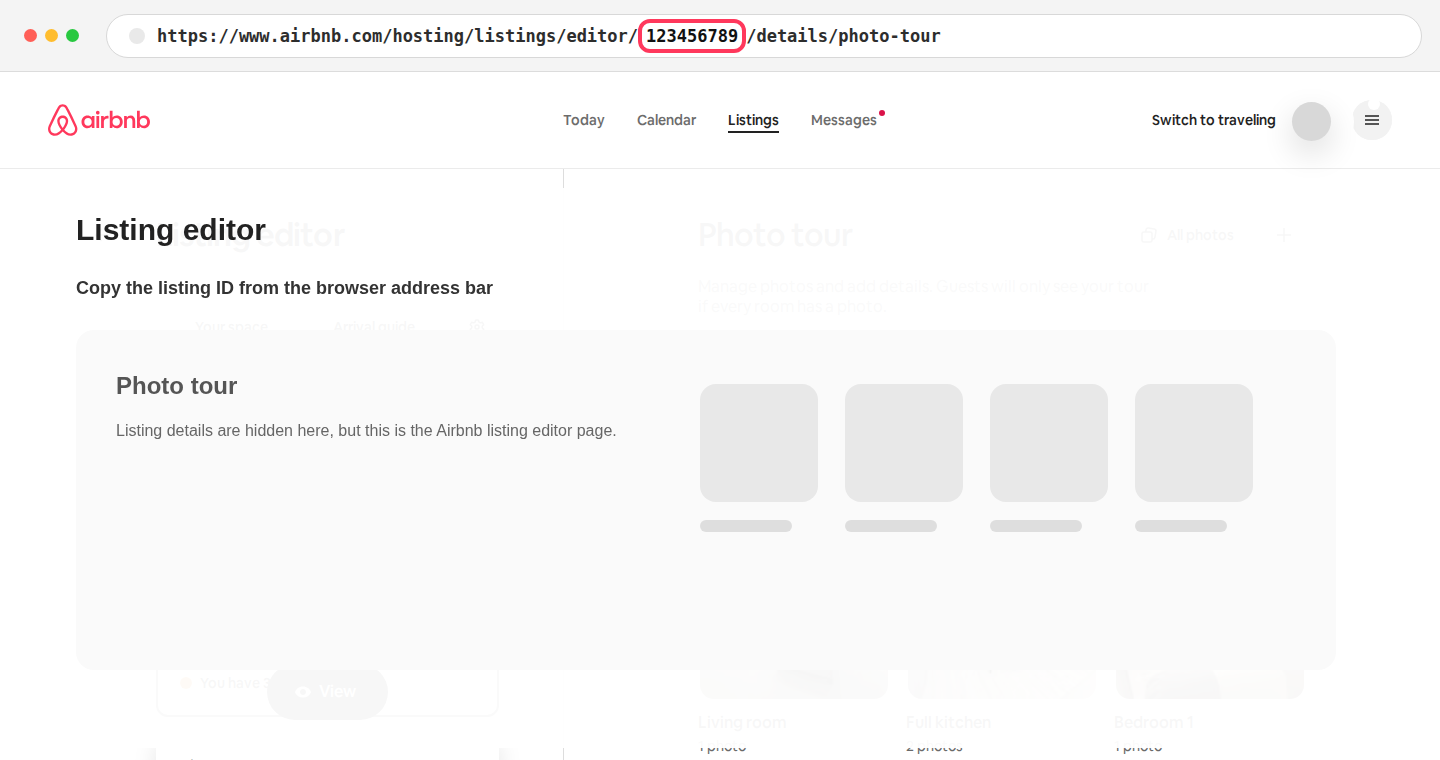
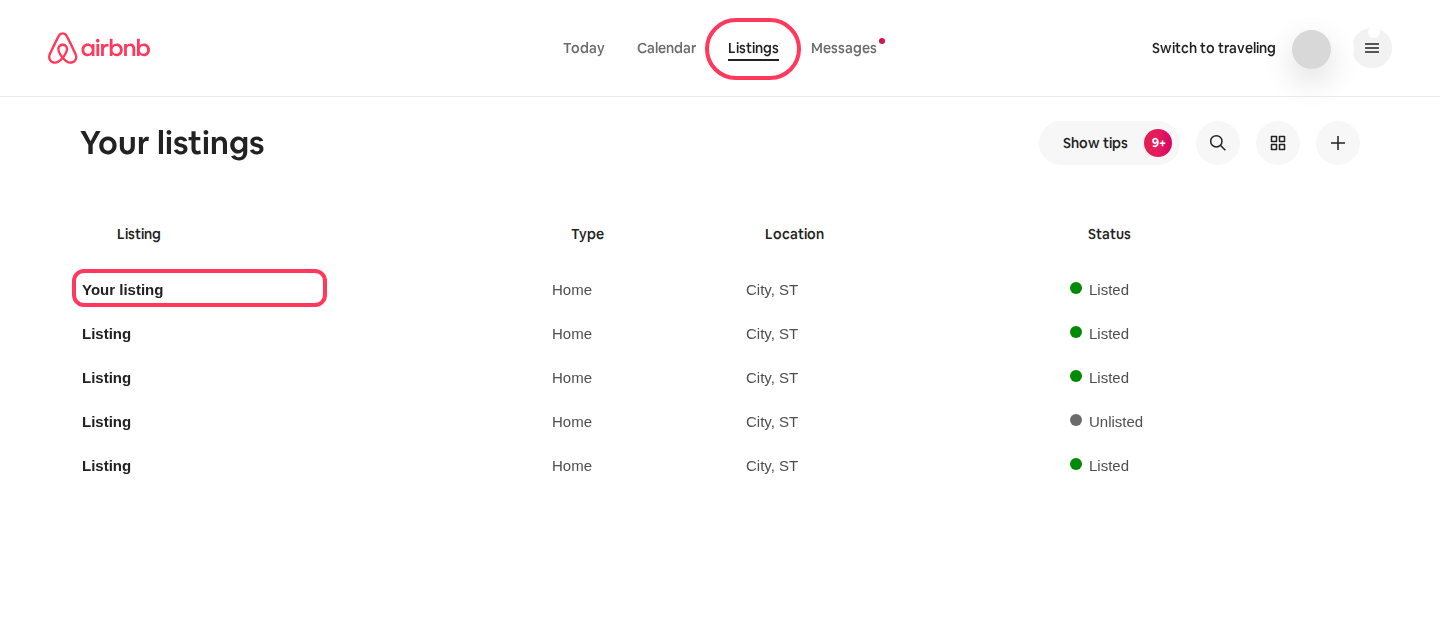
The easiest path is to go to Airbnb, switch to hosting if needed, open Listings, then click the property. Paste the full editor URL back into SignalPanda and we will pull out the listing ID.
Open Airbnb in the same browser you use for hosting. If you are still in travel mode, click Switch to hosting.
Once Airbnb shows the hosting navigation, choose Listings, then click the property you want to connect.
The Airbnb editor URL contains the number SignalPanda needs. Paste the entire address-bar URL, or copy only the highlighted digits.
https://www.airbnb.com/hosting/listings/editor/123456789/details/photo-tour