How Lease Generator works
The landlord prepares and sends the agreement, the tenant reviews and signs it, and the landlord completes the final review.
Important: The generated agreement is a starting point, not legal advice. Review the complete document and applicable state and local requirements, and consult an attorney when needed.
Choose the property and tenant
Choose Create lease on a saved property in Settings, or select a property in Lease Generator. Its address, jurisdiction, landlord and property-manager details load automatically. If the address is missing, use Add property address to fix it first.
Enter the tenant email, dates, rent and deposit. Tenants enter their own legal names on the emailed signing page. Choose a long-term lease or a short-term stay of 30 days or less. Open Edit additional terms for payment arrangements, occupancy, utilities, pets and custom rules. Property defaults and disclosure answers are reused at the same address; tenant details, dates and amounts belong to each lease.
Your draft saves automatically as you type. Wait for Draft saved before leaving. If saving fails, your changes remain on the page and you can retry. Answer missing property questions once, and update saved answers when conditions change.
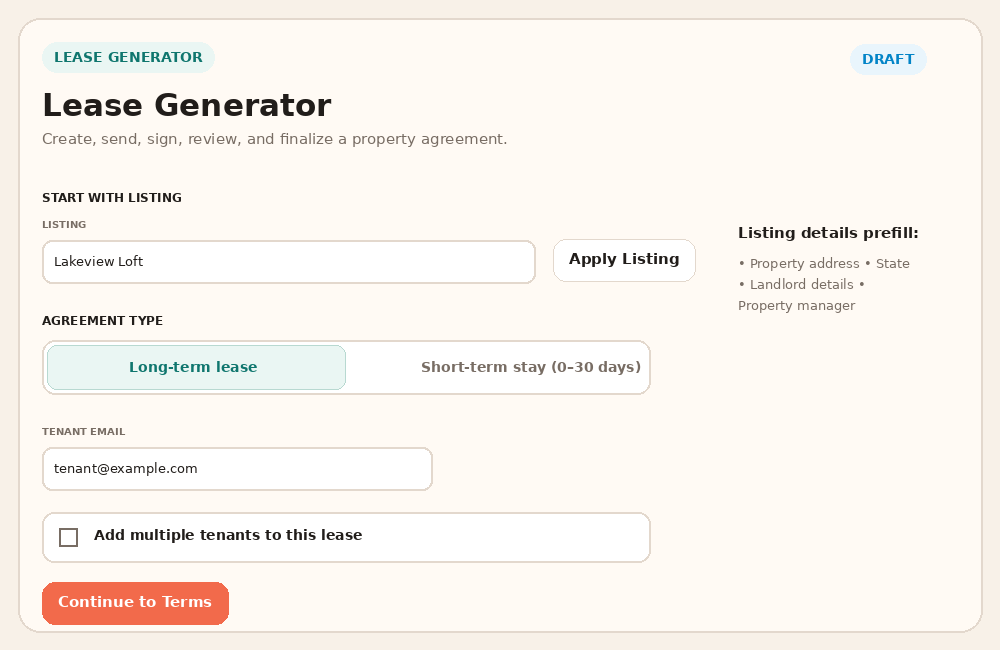
The current builder saves the draft automatically and keeps additional terms in a disclosure. Review the lease and send
Select Review lease to see the property and jurisdiction, tenant, dates, amounts, utilities, pet policy, included documents and complete agreement together. Use Edit details to make corrections or Download PDF for an offline copy.
The saved address identifies the state, county and municipality. We assemble DC, Maryland or Virginia tenant-rights documents automatically, and include lead disclosures and the EPA pamphlet when applicable. Saved lead records are reused; custom attachments are optional. State and local form automation outside this coverage remains incomplete.
Select Send for signature when ready. Signal-Panda emails a secure tenant link and, if selected, a copy to the property manager. Sending locks the agreement terms.
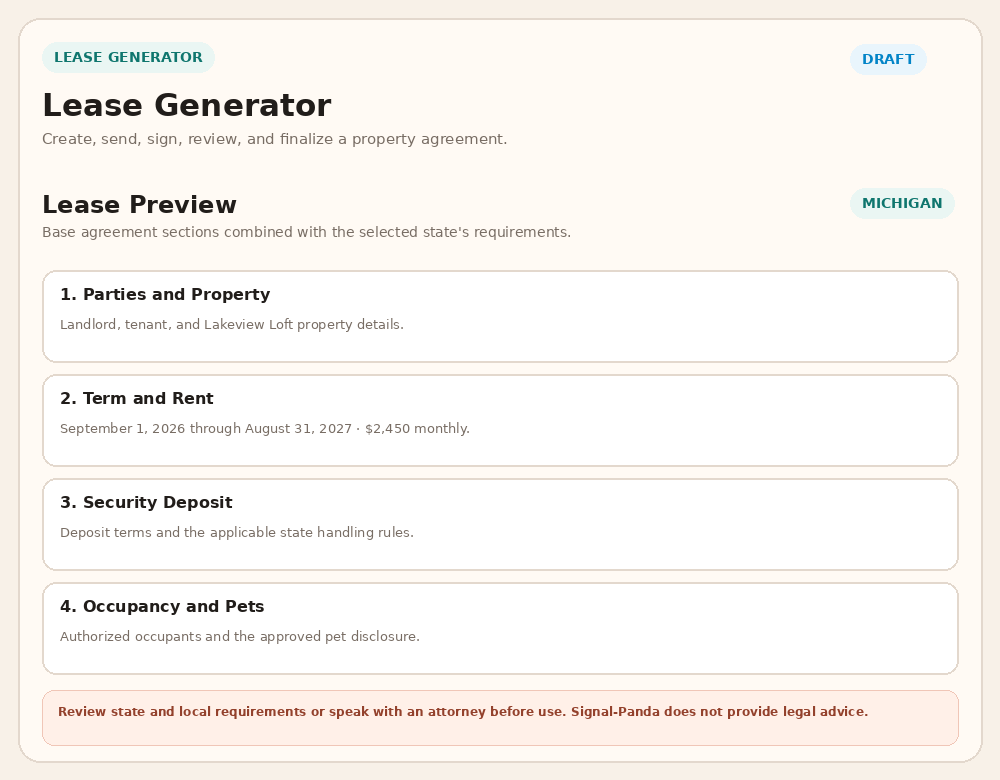
Review the saved details and complete agreement before sending. Track signatures and receive the completed lease
Open Lease history to find drafts and sent agreements. Use Open lease to continue the matching record. After completion, Add to accounting can create scheduled rent income; it does not confirm payment.
The status moves from Awaiting tenant to Awaiting landlord to Completed.
The tenant reviews the agreement, confirms contact information and any additional tenants or pets, uploads identification, and signs. For Virginia receipt and applicable lead acknowledgments, the tenant explicitly authorizes the same typed signature used for the lease. Signature lines are filled digitally in the completed PDF; printing and a separate signed-disclosure upload are not required. The landlord receives a review notice.
The landlord reviews the tenant information and ID, then types a matching signature and selects Mark Signed / Finalize Lease. Signal-Panda creates the executed PDF and emails final download links to both parties.
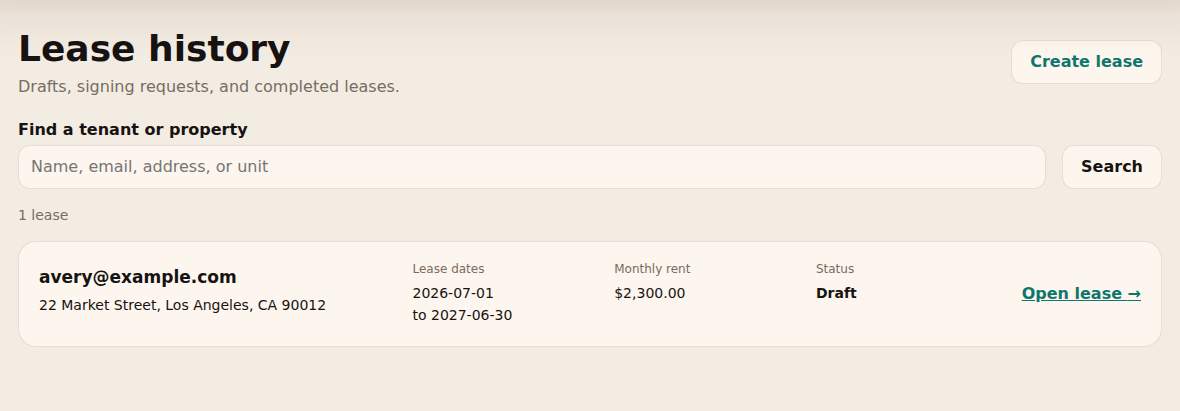
Open Lease history to find a saved draft or follow signature status.
More use cases
Follow the walkthrough that matches what you need to do next. Screenshots use sample data; select an image to enlarge it.
- Correct a sent agreement or cancel an unfinished request
- Add a completed lease to Accounting and stop future income
- Create a short-term agreement with one total stay charge
Correct a sent agreement or cancel an unfinished request
Use this when an agreement has been sent but has not been completed by both parties.
- Open Lease history, find the agreement and choose Open lease. Expand Cancel or correct this request.
- Check I understand the current signing request will be cancelled. Choose Correct & resend to disable the old signing link and open an editable replacement draft.
- Correct the draft, select Review lease, and explicitly choose Send for signature. Creating the replacement does not send it automatically. The replacement requires fresh signatures and tenant identification.
- If no replacement is needed, use the same confirmation and choose Cancel request instead. Check its cancelled status in history.

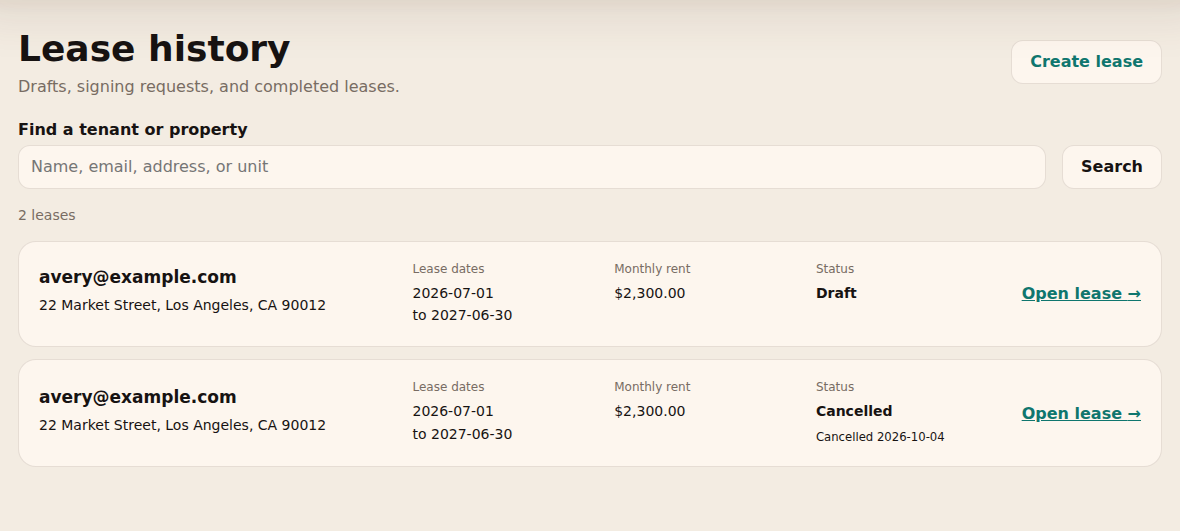
What to expect: Old signing links stop working and the original record remains in history. Completed signed leases cannot be changed through this workflow.
Cancelling a signing request does not terminate a tenancy or change Accounting schedules.
Add a completed lease to Accounting and stop future income
Use this after both parties have signed and you want to track the agreement’s scheduled rent.
- Open the completed agreement from Lease history. In its Accounting section, select Add to accounting. Drafts and partially signed agreements cannot add income.
- Choose View in Accounting and inspect Books → Lease income. Check the property, tenant, rent and dates, then review future entries in Projections. Deposits are excluded.
- To stop future entries, expand Stop future income on the lease or its Books schedule. Choose Stop income from, using today or a future date within the term, then confirm Stop future income.
- Check the saved cutoff. Entries dated on or after it disappear; earlier entries keep their original dates and amounts. Record any separate refund or partial-month adjustment separately.

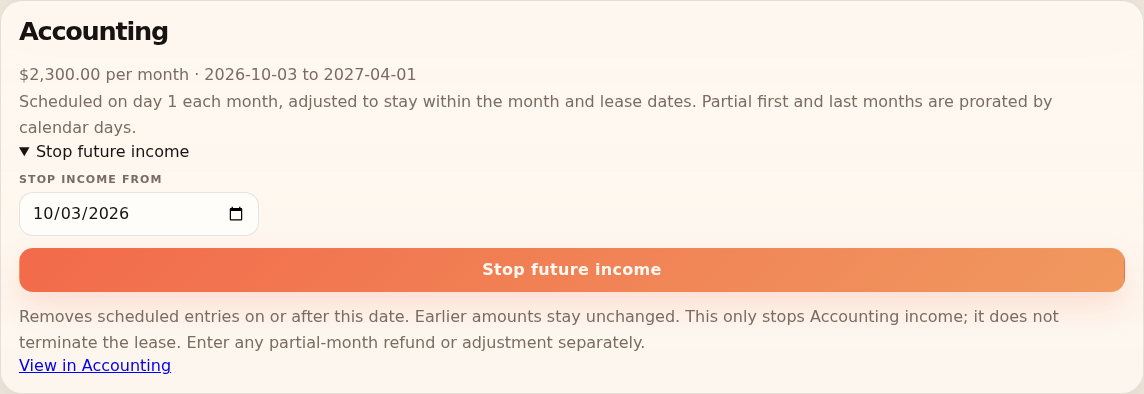
What to expect: Accounting tracks scheduled rent, not confirmed payment. Stopping the income schedule does not terminate the signed agreement or change its documents.
Avoid entering the same rent again as manual income or another recurring schedule. Adding the lease again does not reopen a stopped schedule.
Create a short-term agreement with one total stay charge
Use this for a stay of 30 days or less instead of a monthly rental agreement.
- Choose the saved property in Lease Generator. Under Agreement Type, choose Short-term stay (0-30 days).
- Enter the tenant email, Stay Start Date, Stay End Date and Total Stay Charge. Open Edit additional terms to review payment arrangements, any deposit and property rules.
- Select Review lease and check the dates, complete stay charge and included documents. Select Send for signature, then follow tenant signing and landlord finalization.
- After completion, optionally use Add to accounting. This creates one scheduled charge on the stay’s start date, with the deposit excluded.
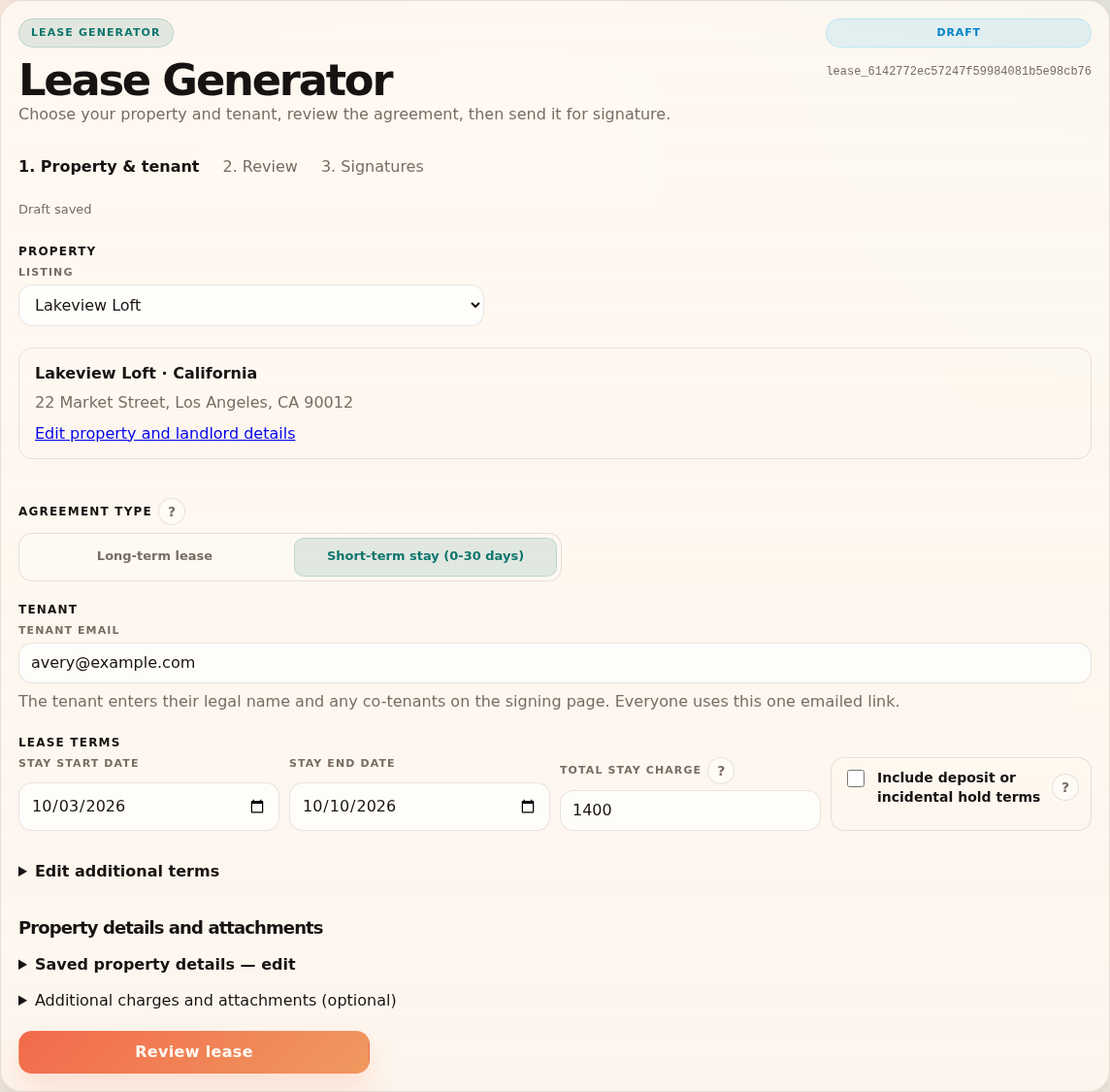
Example: For a seven-night stay costing $1,400, enter $1,400 as Total Stay Charge. A long-term agreement instead uses Monthly Rent.
What to expect: The agreement records the full short-term charge. A stay longer than 30 days requires the long-term lease workflow.
Start in Lease Generator. Add or update the property in Settings. For delivery or workflow problems, contact support.
Frequently asked questions
Common questions about drafts, signatures, and finalized agreements.
Why is the lease builder locked?
Select a saved property; its details load automatically. A sent, tenant-signed, or finalized agreement is also locked so its accepted terms cannot be changed.
Can I change a lease after sending it?
For an unfinished request, choose Correct & resend to disable the old link and open an editable copy. Review and send the correction; fresh signatures are required. Cancel request stops an unfinished request, and Delete draft removes an unsent draft. Completed signed leases stay in history.
Can a short-term stay be longer than 30 days?
No. The short-term option accepts stays of 30 days or less. Use the long-term lease workflow for a longer term.
Why was a typed signature rejected?
Each tenant signs only their own entered legal name. Co-tenants use separate signature fields on the same emailed page; never combine everyone's names in one signature. The landlord signature must match the saved landlord name.
What tenant ID file can be uploaded?
Upload up to one ID file per listed tenant, with a maximum of four files per lease. Each image or PDF can be up to 10 MB. The landlord can open each uploaded file before finalizing.
Does this replace legal advice?
No. The generated document is a starting point. Review applicable state and local laws and consult an attorney when needed.